Export photos, videos, audios, library files in batch + Export all (compressed .zip)
tl;dr : A way to select files and click “Export” to get them all in one go in a .zip file, and a “Export all library” button which exports the entire library.
Using Venice Studio is really cool. However, I have been struggling with something lately.
My storage eventually becomes full and I need to download my files from my library.
I had to download each and every one of my 231 individual files to save them on my computer, which was painful.
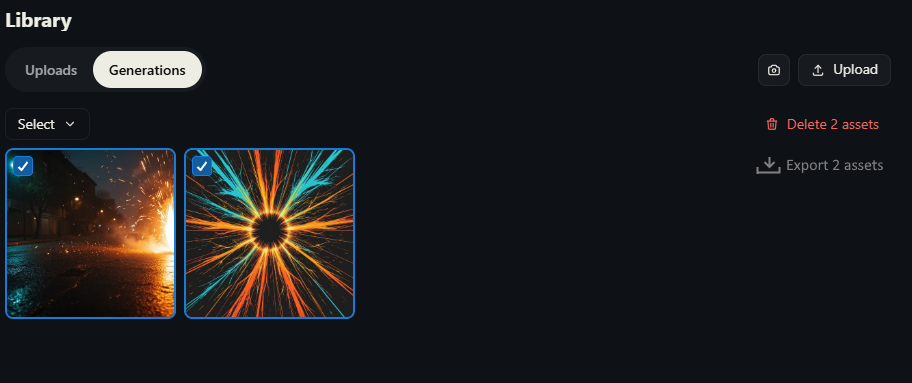
Something like this (the export button is fake, by the way. I’ve drawn it with my super Windows Paint skillz)
Log in to comment and vote
Linked to Mass Download for image/video files desperately needed.
No comments yet
Be the first to share your thoughts.